## 🎯 Objective
Perform an audit of a single Windows laptop to gather:
- System information (OS version, build, hostname).
- Latest installed patches and update information.
- Specific application installations and their versions (e.g., Chrome, Firefox, Office).
- Export results to a
.csvfor review.
⚡️ Features
✅ Retrieves:
- Windows OS Version
- Windows Build Number
- Installed Applications (with versions) for configured app names
- Windows Updates (patch ID and install date)
✅ Exports results to a .csv file.
🐱💻 Script
# ==========================================================
# Final Single Laptop Audit (Compatible Version)
# ==========================================================
# CONFIG
$appsToCheck = @("Google Chrome", "Mozilla Firefox", "Microsoft Office")
# SYSTEM INFO
$os = Get-CimInstance Win32_OperatingSystem
$hostname = $env:COMPUTERNAME
$osVersion = $os.Caption
$osBuild = $os.BuildNumber
$patches = Get-HotFix | Select-Object HotFixID, InstalledOn
$lastWindowsUpdate = ($patches | Sort-Object InstalledOn -Descending | Select-Object -First 1)
# APPLICATIONS
$appList = Get-ItemProperty "HKLM:\Software\Microsoft\Windows\CurrentVersion\Uninstall\*" -ErrorAction SilentlyContinue | Select-Object DisplayName, DisplayVersion
$appList += Get-ItemProperty "HKLM:\Software\WOW6432Node\Microsoft\Windows\CurrentVersion\Uninstall\*" -ErrorAction SilentlyContinue | Select-Object DisplayName, DisplayVersion
# CHROME FALLBACK
$chromePaths = @(
"C:\Program Files\Google\Chrome\Application\chrome.exe",
"C:\Program Files (x86)\Google\Chrome\Application\chrome.exe"
)
foreach ($chromePath in $chromePaths) {
if (Test-Path $chromePath) {
$appList += [PSCustomObject]@{
DisplayName = "Google Chrome"
DisplayVersion = (Get-Item $chromePath).VersionInfo.ProductVersion
}
break
}
}
# SELECTED APPLICATIONS
$selectedAppCheckList = @()
foreach ($appName in $appsToCheck) {
$app = $appList | Where-Object { $_.DisplayName -and $_.DisplayName -like "*$appName*" } | Select-Object -First 1
if ($app) {
$selectedAppCheckList += "${appName}: Installed"
} else {
$selectedAppCheckList += "${appName}: Not Installed"
}
}
$selectedAppCheck = $selectedAppCheckList -join ", "
# SELECTED APPLICATIONS VERSIONS
$selectedAppVersionsList = @()
foreach ($appName in $appsToCheck) {
$app = $appList | Where-Object { $_.DisplayName -and $_.DisplayName -like "*$appName*" } | Select-Object -First 1
if ($app) {
$selectedAppVersionsList += "${appName}: $($app.DisplayVersion)"
} else {
$selectedAppVersionsList += "${appName}: N/A"
}
}
$selectedAppVersions = $selectedAppVersionsList -join ", "
# PATCH LIST
$patchListString = ($patches | ForEach-Object {
"$($_.HotFixID) [$($_.InstalledOn.ToString('dd-MM-yyyy HH:mm'))]"
}) -join ", "
# FINAL OUTPUT
$output = [PSCustomObject]@{
Hostname = $hostname
OSVersion = $osVersion
OSBuild = $osBuild
SelectedAppCheck = $selectedAppCheck
SelectedAppVersions = $selectedAppVersions
LastWindowsUpdate = $lastWindowsUpdate.InstalledOn
PatchList = $patchListString
}
# Export Results
$output | Export-Csv -Path ".\single_laptop_audit.csv" -NoTypeInformation
$output | Format-Table
Write-Host " Done! Results saved to 'single_laptop_audit.csv'."🗄️ Output
The script generates a single_laptop_audit.csv file containing:
| Field | Description |
|---|---|
| Hostname | Name of the machine |
| OSVersion | Version of the Operating System |
| OSBuild | Build number of the OS |
| SelectedAppCheck | Status of configured applications (Installed / Not Installed) |
| SelectedAppVersions | Version numbers of configured applications |
| LastWindowsUpdate | Date of the most recent Windows Update |
| PatchList | List of installed patches and their installation timestamps |
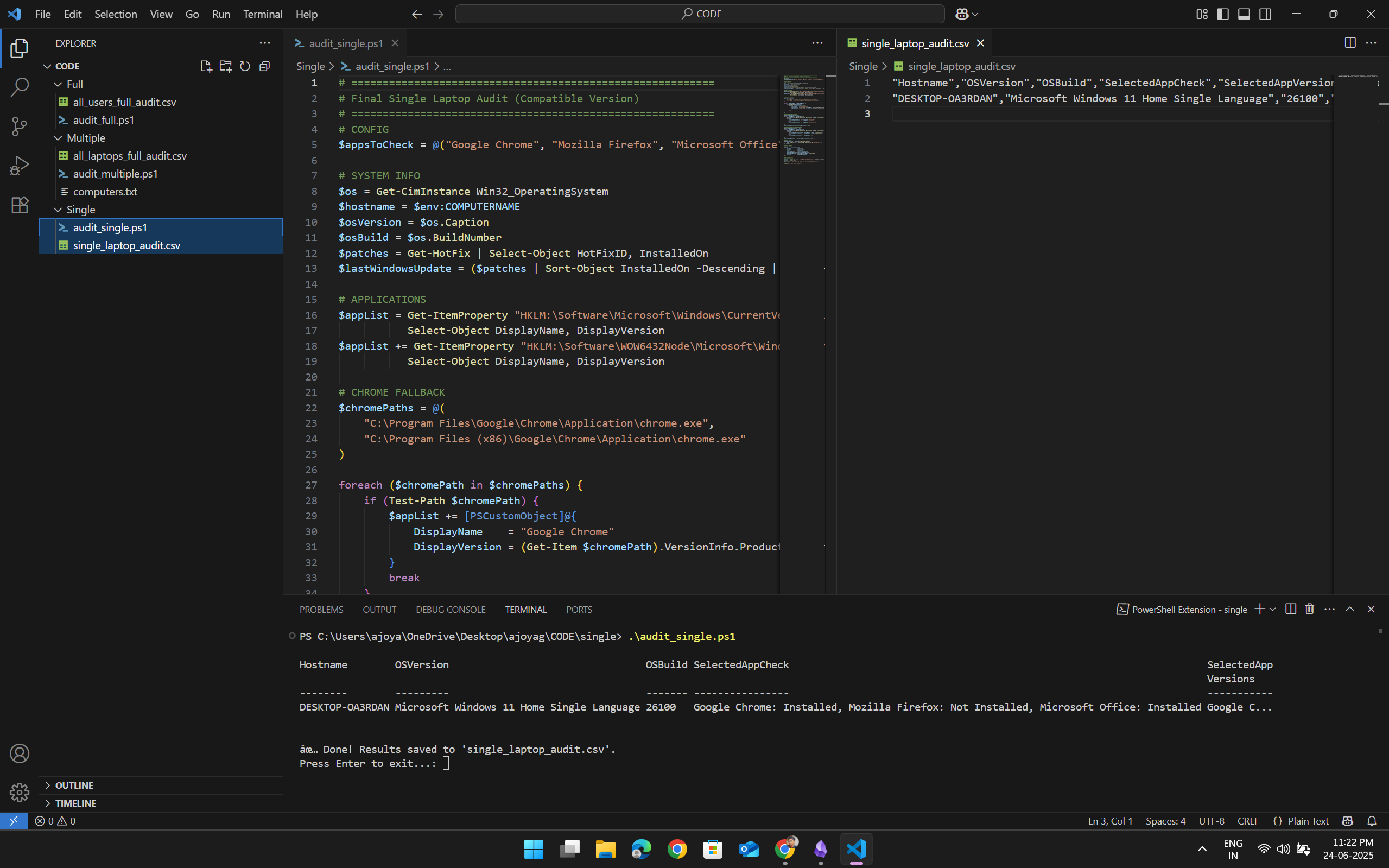
✅ Usage Instructions
- Save the script as
single_local_machine_audit.ps1. - Open PowerShell as Administrator.
- Run the script:
.\single_local_machine_audit.ps1 - Results will be saved to:
.\single_laptop_audit.csv - Confirm execution by viewing the formatted table printed to your PowerShell window.
⚡️ Summary
This script is ideal for quick audits of single laptop or desktop environments, making it ideal for inventory, compliance, and review during Active Directory audits, especially when focusing on end‑user devices.