🎯 Objective
Perform an audit of a Windows laptop focusing on all local user accounts to gather:
- Windows OS version and build information.
- BitLocker encryption status of fixed drives.
- Latest installed Windows updates.
- Installation status, version, and install date of specific security applications (e.g., CrowdStrike, Netskope) per user.
- Export detailed per-user audit results to a
.csvfor review.
⚡️ Features
✅ Retrieves:
- Windows OS Version and Release Build.
- BitLocker encryption status on fixed drives.
- List of local users (excluding built-in system accounts).
- Installed applications (CrowdStrike, Netskope) with version and install date per user.
- Date of the most recent Windows Update.
- Exports audit results to a
.csvfile.
🐱💻 Script
The full PowerShell script logic handles iterating through all user profiles and querying the respective uninstall registry keys, in addition to collecting system-wide BitLocker and patch data.
You will find the script in the code folder.
🗄️ Output
The script generates a multiuser_laptop_audit.csv file containing:
| Field | Description |
|---|---|
| S.No | Serial number (row count) |
| Hostname | Machine hostname |
| User | Local username |
| CrowdStrike | Installation status of CrowdStrike |
| CrowdStrike Date | Installation date of CrowdStrike |
| CrowdStrike Version | Installed CrowdStrike version |
| Netskope | Installation status of Netskope |
| Netskope Date | Installation date of Netskope |
| Netskope Version | Installed Netskope version |
| Encryption | BitLocker encryption status (YES or drives not encrypted) |
| Patch | Date of the most recent Windows update |
| Winver | Windows OS version |
| WinBid | Windows build number and UBR |
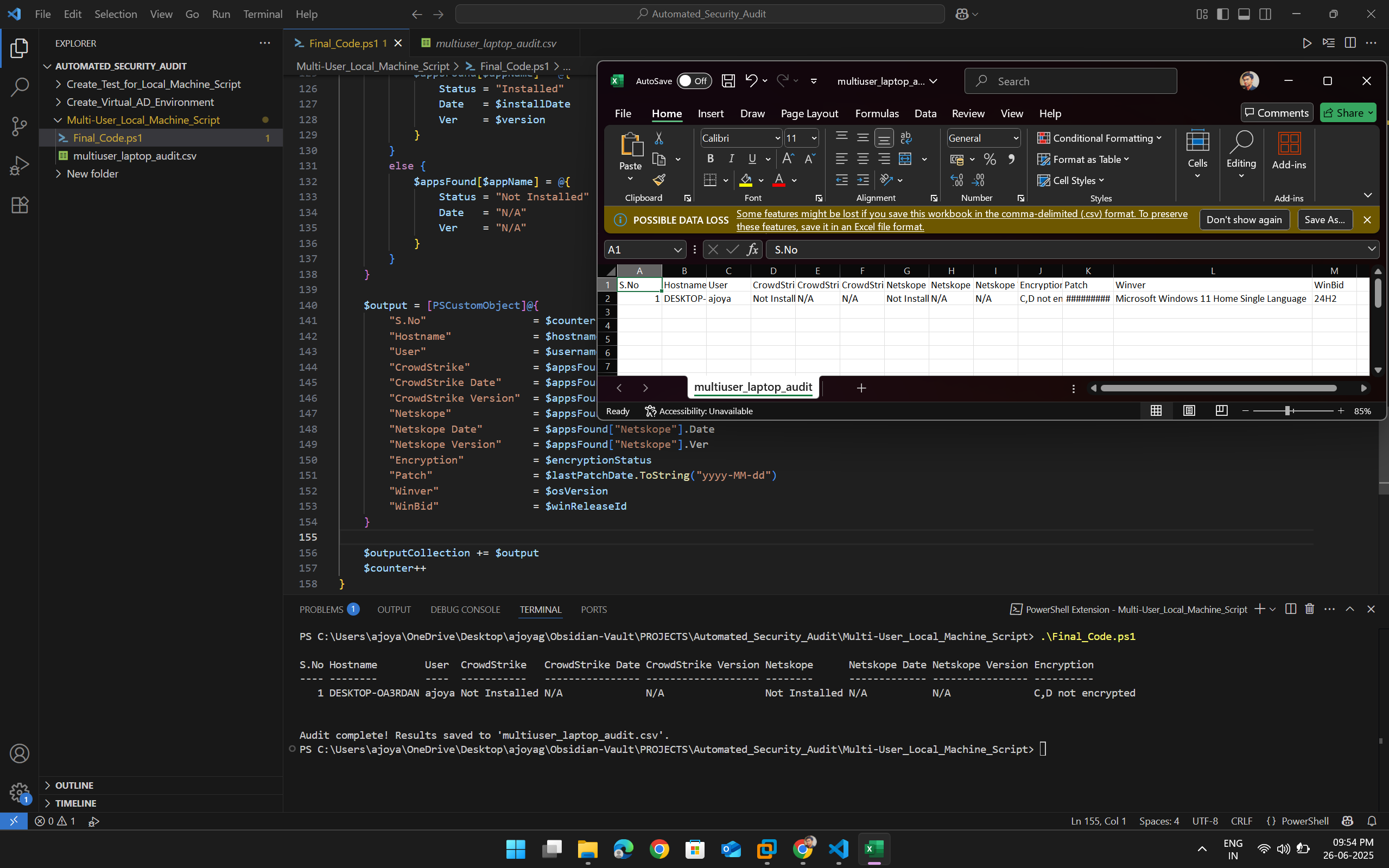
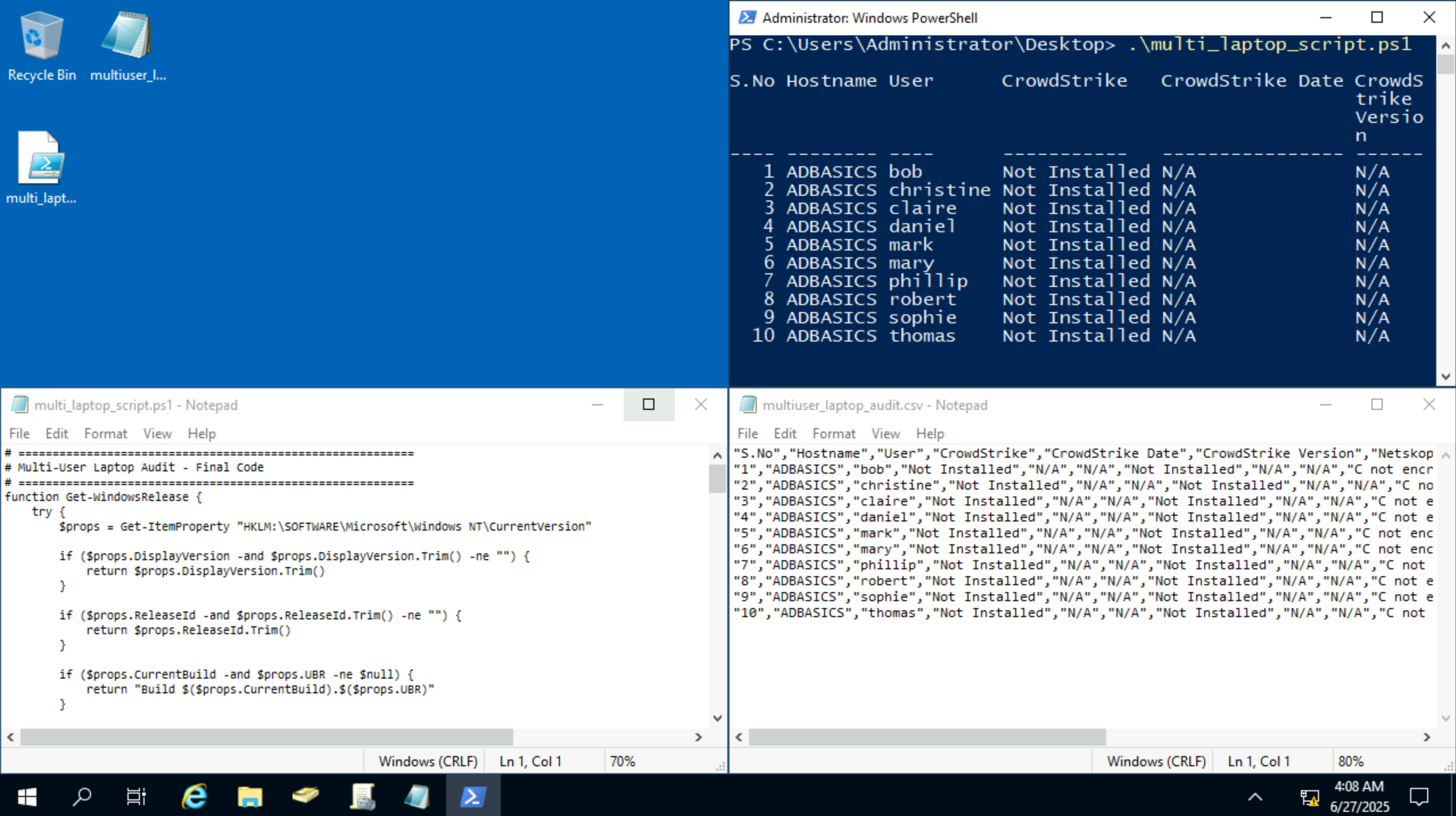
✅ Usage Instructions
- Save the script as
multiuser_laptop_audit.ps1. - Open PowerShell as Administrator.
- Run the script:
.\multiuser_laptop_audit.ps1 - Results will be saved to:
.\multiuser_laptop_audit.csv - Confirm execution by viewing the formatted table printed to your PowerShell window.
⚡️ Summary
This script is designed to perform a detailed audit on Windows laptops with multiple local user accounts, collecting user-specific installation information on critical security applications, encryption status, and system patch data. It is useful for enterprise compliance, security posture reviews, and detailed asset inventory gathering across multi-user endpoints.