🔍 Objective
Perform an audit on a Windows laptop focusing on all local user accounts to gather:
- Windows OS version and build information
- BitLocker encryption status of fixed drives
- Latest installed Windows updates
- Installation status, version, and install date of specific security applications (e.g., CrowdStrike, Netskope) per user
- Map each local user to their AD identity and extract OU hierarchy
- Export detailed per-user audit results to a
.csvfor review
🛠️ Features
✅ Retrieves:
- Windows OS Version and Release Build
- BitLocker encryption status on fixed drives
- List of local users (excluding built-in system accounts)
- Installed applications (CrowdStrike, Netskope) with version and install date per user
- Active Directory name and OU path for mapped users
- Date of the most recent Windows Update
- Exports enriched audit results to a
.csvfile
📜 Script
The full PowerShell script integrates the local audit logic with domain querying commands (like Get-ADUser) to link the Security Identifier (SID) of each local user profile to the corresponding AD user object.
You will find it in the code folder.
Filename: multiuser_laptop_audit_withAD.ps1
📂 Output
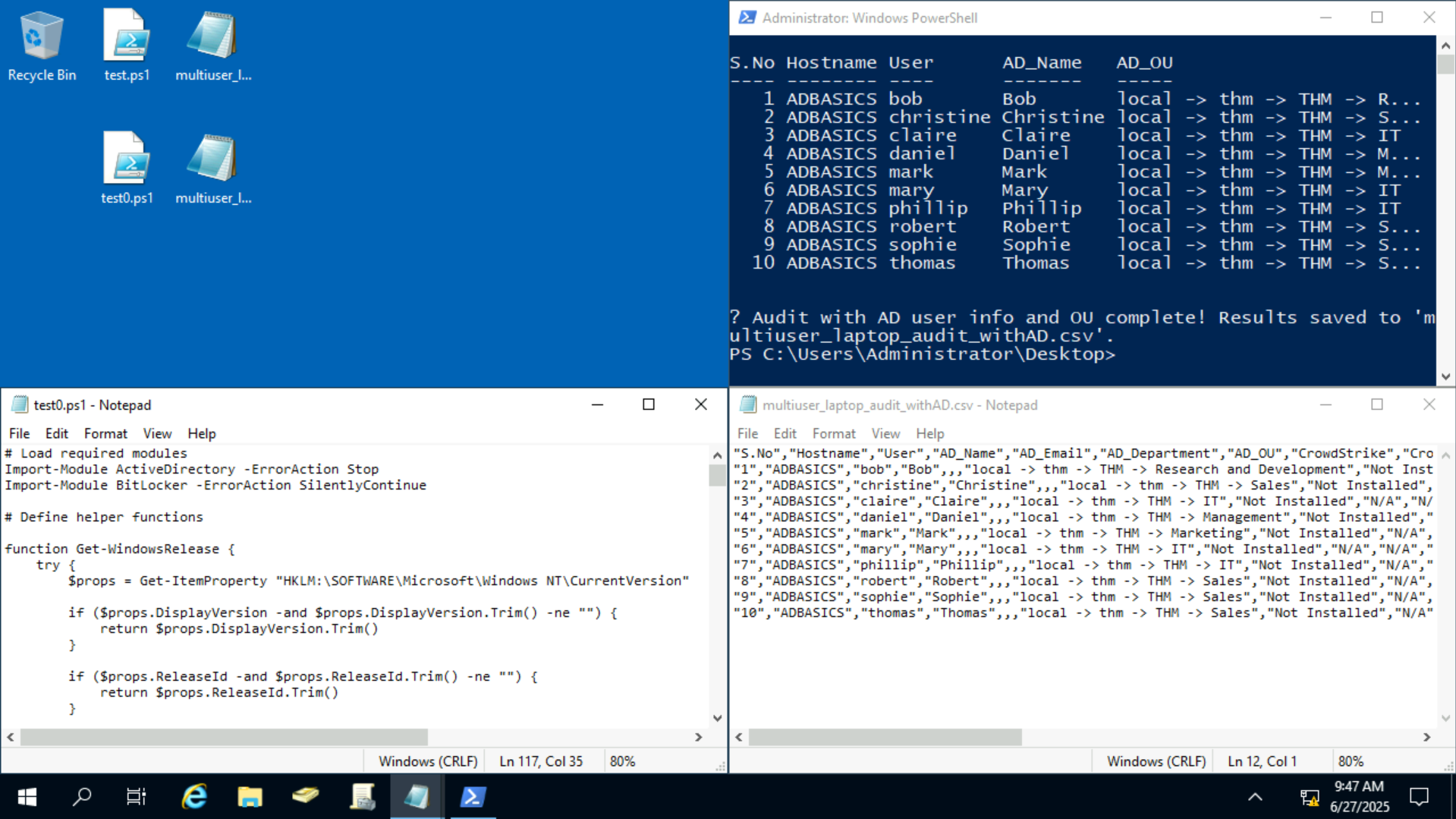
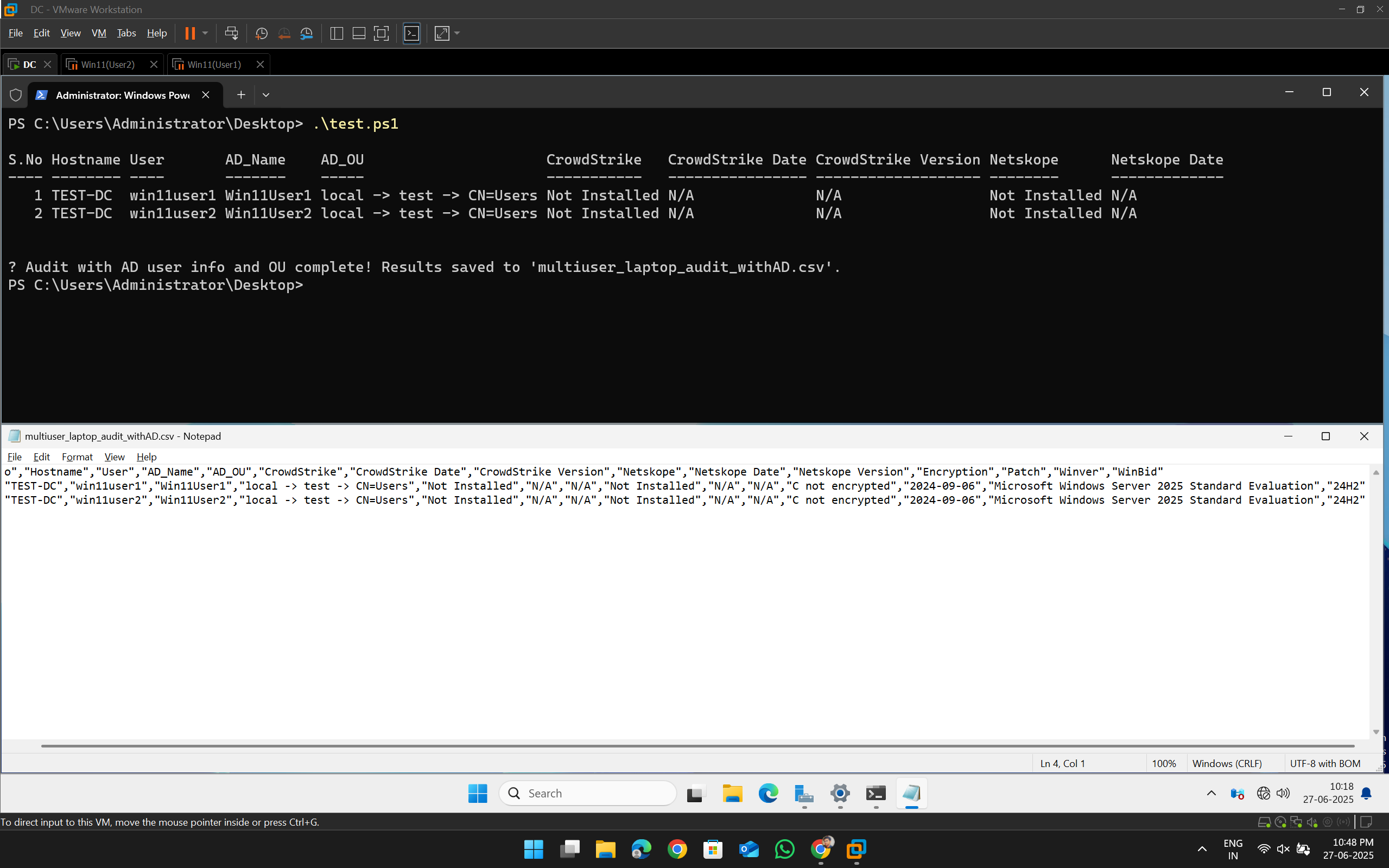
The script generates a multiuser_laptop_audit_withAD.csv file containing:
| Field | Description |
|---|---|
| S.No | Serial number (row count) |
| Hostname | Machine hostname |
| User | Local username |
| AD_Name | Active Directory Display Name |
| AD_OU | Organizational Unit (OU) hierarchy |
| CrowdStrike | Installation status of CrowdStrike |
| CrowdStrike Date | Installation date of CrowdStrike |
| CrowdStrike Version | Installed CrowdStrike version |
| Netskope | Installation status of Netskope |
| Netskope Date | Installation date of Netskope |
| Netskope Version | Installed Netskope version |
| Encryption | BitLocker encryption status (YES or drives not encrypted) |
| Patch | Date of the most recent Windows update |
| Winver | Windows OS version |
| WinBid | Windows build number and UBR |
🧪 Usage Instructions
- Save the script as
multiuser_laptop_audit_withAD.ps1 - Open PowerShell as Administrator
- Run the script:
.\multiuser_laptop_audit_withAD.ps1 - Results will be saved to:
.\multiuser_laptop_audit_withAD.csv - Confirm execution by viewing the formatted table printed to your PowerShell window
📌 Summary
This script is designed to perform a domain-aware audit on Windows laptops with multiple local user accounts, linking each user to their Active Directory identity and extracting their OU path. It enriches each row with system information, patch status, app installs, and AD context.
It’s a powerful tool for enterprise security reviews, compliance, and IT asset reporting at scale.